
Artist Page/Profile Mapping
The process for mapping releases to specific artist pages/profiles varies between DSPs. Sparta will always attempt to place releases on the correct artist profiles, however please be aware of the below:
- Spotify supports pre-release specified mapping, please check Spotify for Artists "upcoming" releases to confirm that the release is tied to the correct artist page. If your release is not present in "upcoming," please notify support@spartadistribution.com and we will submit a request to correct.
- Apple Music/iTunes supports pre-release mapping based on Apple Artist IDs
- YouTube Music deliveries populate as Art Tracks, which by default are mapped YouTube "Topic" channels. Art tracks can only be re-mapped if the artist has a YouTube Official Artist Channel. If you have an OAC but Art Tracks are still populating on a Topic channel, please notify support@spartadistribution.com to merge the two channel. You can also request a YouTube OAC by following instructions HERE.
- TikTok supports release mapping for profiles with 10K+ followers and/or verification. If you meet these requirements and require assistance linking a release to your profile, please email support@spartadistribution.com
- Soundcloud supports pre-release mapping. If you have an existing Soundcloud page please link it in your Artist Mapping profile. Please email support@spartadistribution.com if you want to create a new one
- Tidals upports pre-release mapping. If you have an existing TIDAL page please link it in your Artist Mapping profile. Please email support@spartadistribution.com if you want to create a new one
To input your Artist Mapping ID, go to "Artists", type in your Artist name and click on your profile to see the various DSP mapping IDs. This step is highly suggested if you want songs migrated to a specific page.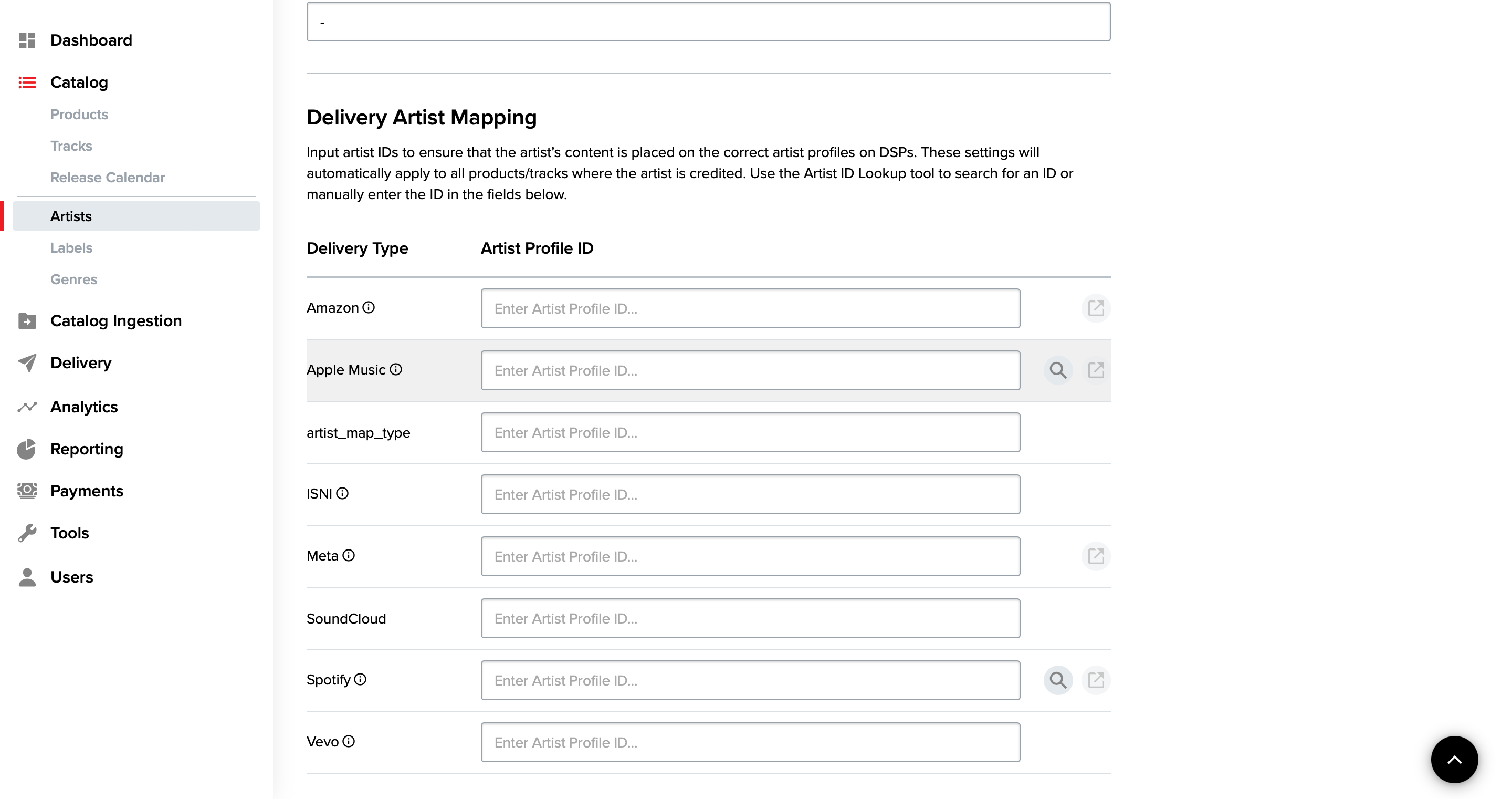
Apple Music
To claim your page, you'll first need to verify your identity or relationship to the artist. It helps to provide as much information as possible. Claiming your artist profile on Apple can be done either through iOS App or the Web.
How to Claim Your Artist Page in the iOS App
- Sign in to the Apple Music for Artists app on your iPhone with your Apple ID. If you don’t have an Apple ID, you can create one at appleid.apple.com.
- Tap Request Artist Access.
- To ensure you claim the correct artist page, copy and paste your iTunes Store artist page link to search. If you do not have a link to your artist page, you can also search for your artist page by artist name in the search field.
- Select one of your albums to verify you are claiming the correct page.
- Choose your Role.
- Fill out the requested application fields. For faster verification, sign in to your social media, distributor, or Shazam for Artists accounts. The more information you are able to provide, the easier it will be to verify your relationship to the artist you are claiming.
How To Claim Your Artist Page on the Web
- Go to artists.apple.com.
- Click Sign Up, and sign in with your Apple ID. If you don’t have an Apple ID, you can create one at appleid.apple.com.
- Click Request Artist Access.
- To ensure you claim the correct artist page, copy and paste your iTunes Store artist page link to search. If you do not have a link to your artist page, you can also search for your artist page by artist name in the search field.
- Select one of your albums to verify you are claiming the correct page.
- Choose your Role.
- Fill out the requested application fields. For faster verification, sign in to your social media, distributor, or Shazam for Artists accounts. The more information you are able to provide, the easier it will be to verify your relationship to the artist you are claiming.
Spotify
When you claim your Spotify profile, you will gain access to its Spotify for Artists portal. From the portal, you will be able to control your banner picture, pitch your song for playlist placement, manage your canvas, or add artist playlists, among others. For more information about Spotify for Artists, refer to Spotify's FAQ.
To claim your profile, login to your Spotify account and fill out the form in the following link:
https://artists.spotify.com/claim